
Two Cameras. One Swing.
Add an external camera to your iPad and Swing Profile records your swing from two angles at once. Here's how to set it up, and which cameras work best.
Basic Setup
The simplest setup requires only an iPad and an external camera.
Connect the camera to the iPad through the USB-C port, and Swing Profile will automatically start 2-cam mode.
iPad + camera = 2-cam mode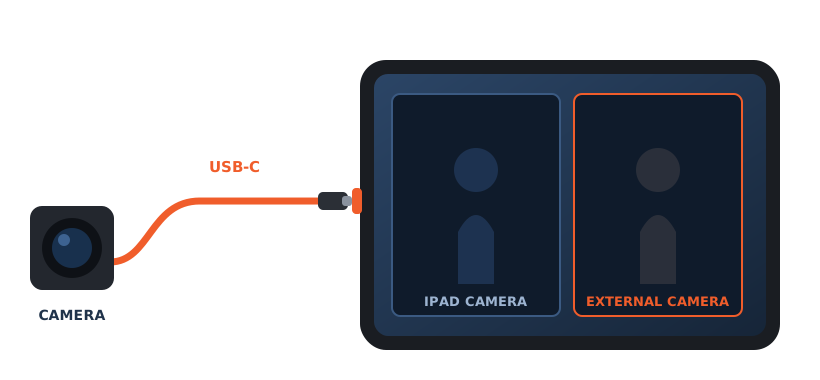
Professional Setup
For a professional setup, use a digital AV multiport adapter. It lets you connect the iPad to all three of these:
- 1The external camera through the USB-A port
- 2A TV through the HDMI port
- 3A power bank or a wall power source through the USB-C port
- Show the iPad screen on an external TV
- Use the iPad for extended hours without recharging
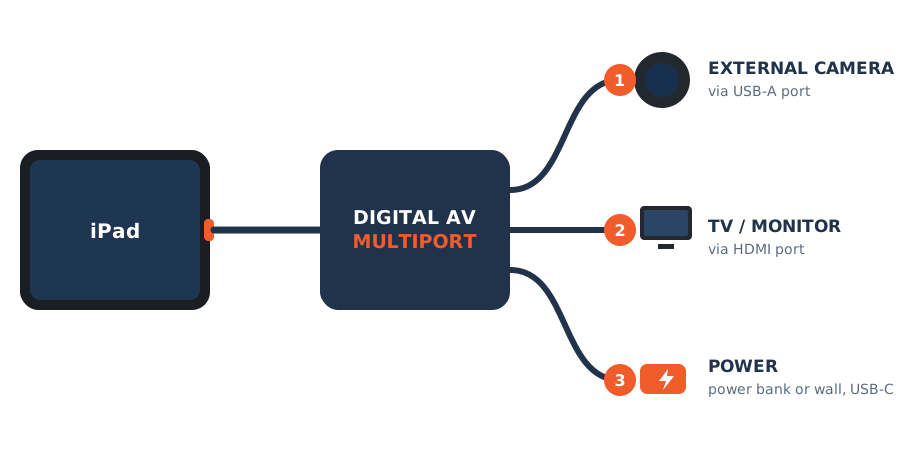
What's in a Professional Setup
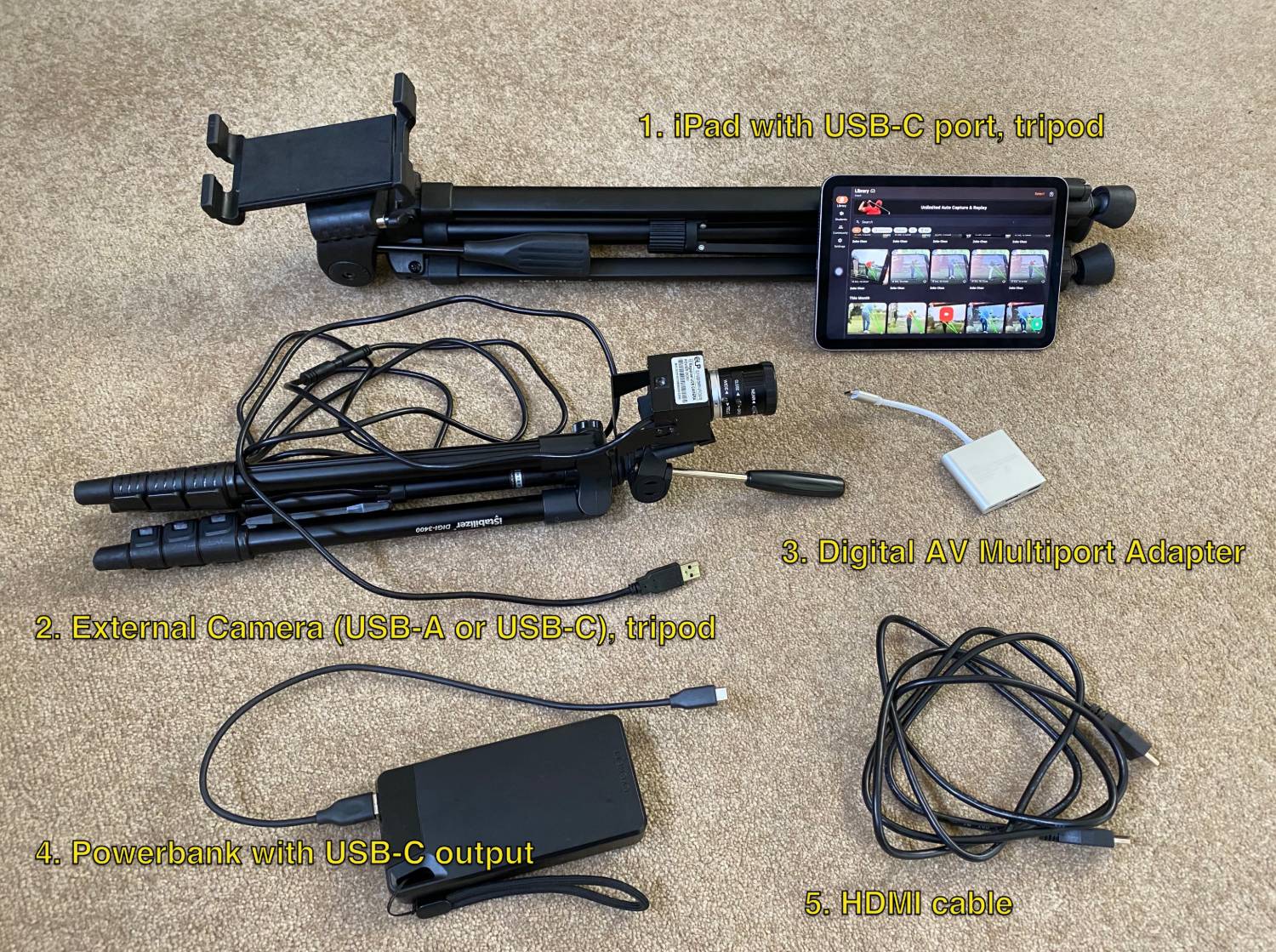
Tested Camera
Most home and office webcams will work, but only at 30 fps. For a higher frame rate you'll need a better camera, such as the Logitech StreamCam.
Normal Webcam
Everyday webcams. Most run at 30 fps; a few go higher.
- Microsoft HD Cam 30 fps
- Logitech Brio 500 30 fps 720p @ 60 fps shows, but does not work
- Logitech StreamCam 720p @ 60 fps
Specialist High-Speed Cameras
We have also tested two specialist high-speed cameras that can operate at 120 fps on Swing Profile.
OFF
Swing Profile subscribers can get a discount code in the app at Settings → Subscriber Zone and buy these cameras at a 10% discount.
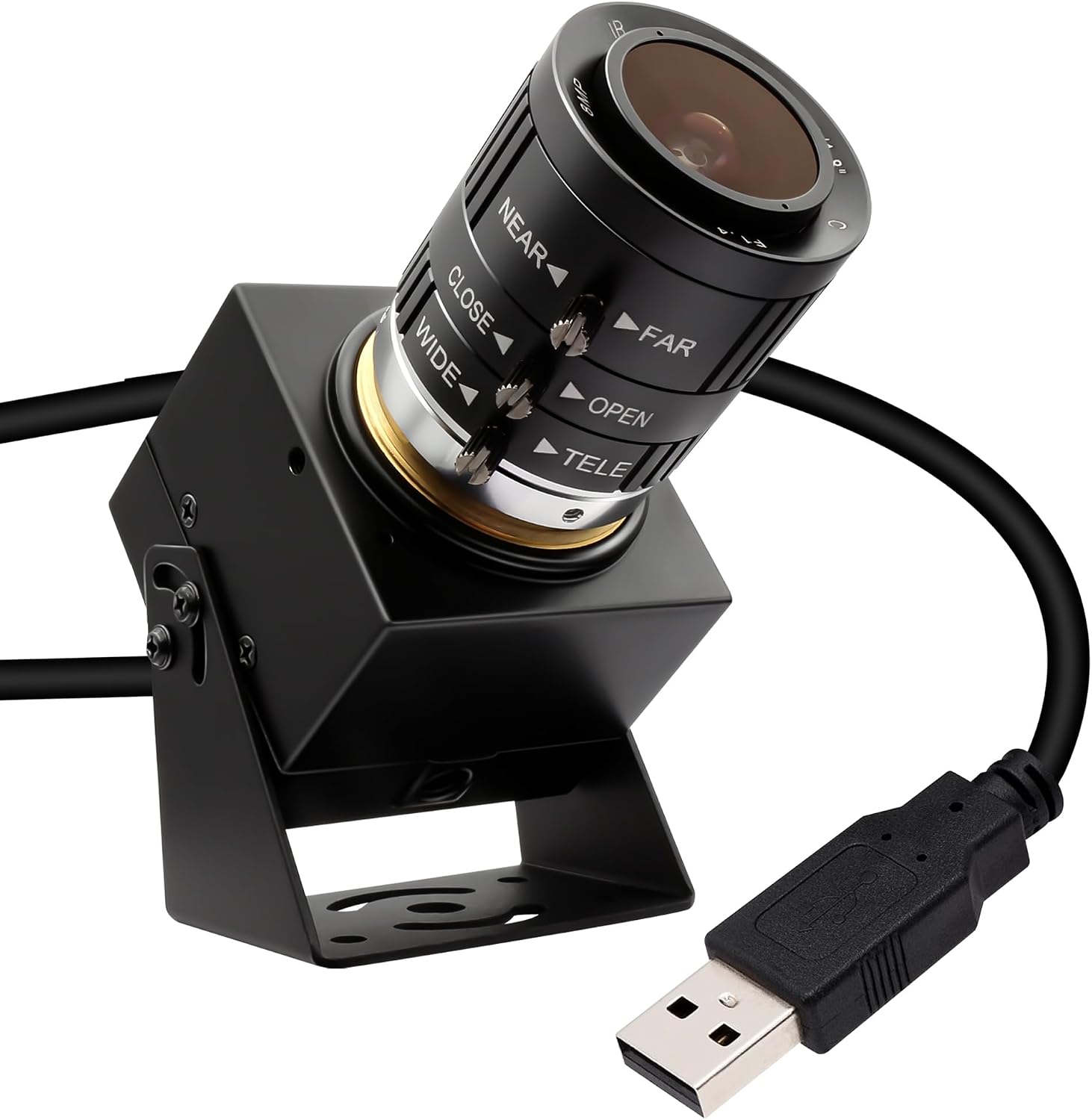
SVPRO USB Camera 1080P 120fps High Speed Camera for Golf Swing Simulator
12MP 4K webcam with 3X manual zoom lens. USB plug and play for computer and laptop.
- 120 fps
- 1080P
- 3X manual zoom
- 10 ft cable
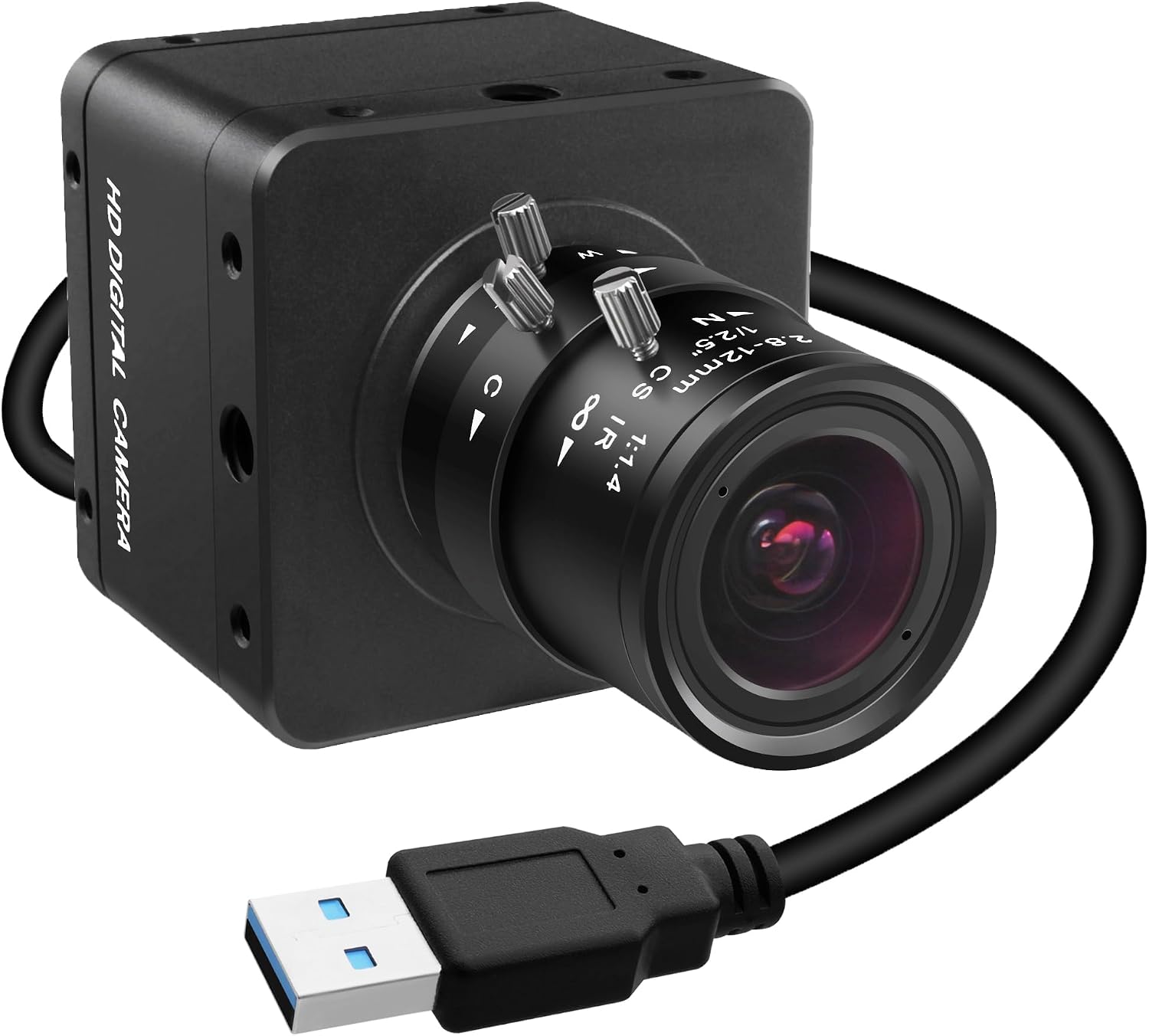
SVPRO USB 3.0 Global Shutter Camera, 1200P 120fps
720P 200fps high-speed camera for golf swings, with a 2.8-12mm manual zoom lens. Plug-and-play UVC webcam.
- 120 fps
- 1200P
- Global shutter
- 10 ft cable
Need a longer cable? Both cameras come with a 3m (10 ft) cable, but you can order a 5 meter (16.4 ft) cable with a 5-pin connector.
Get the 5 m cable →